Limited Operation:
August 3 – August 31
Free shuttle service between
Tohoku University Hospital
and Kita-Yonbancho Station

mobi is a new type of shared transportation that circulates within the designated area. Using AI routing, we will send you to your destination via the optimal route.

Tohoku University Hospital
⇔ Kita-Yobancho Station Area
- Virtual stops:
Tohoku University Hospital Rotary 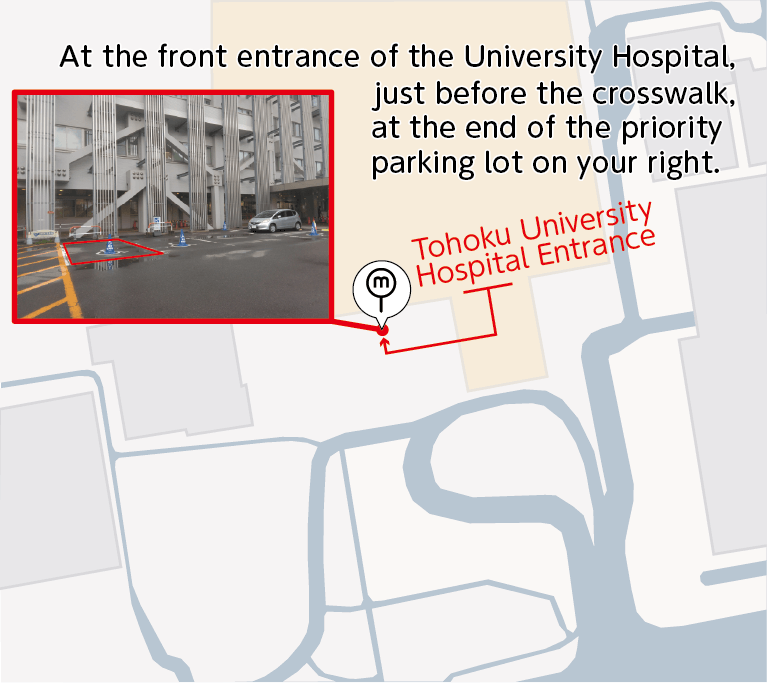
- Virtual stops:
Kita-Yobancho Station 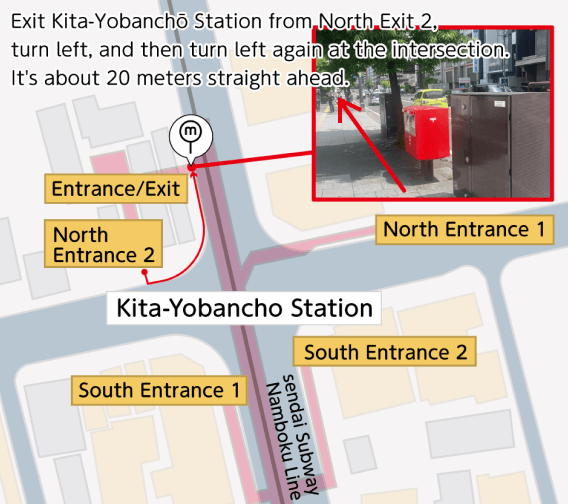
Operates on a fixed schedule. Please select and book your preferred departure time through the app.
1:30 PM – 4:30 PM Demand-Responsive On-Demand Service "mobi"
Book through the app when you want to ride. A vehicle will be dispatched once a match is confirmed.
Both services can be booked via the mobi app. While reservations have priority, you can "hop on" directly without a booking if seats are available.
Period of operation:
August 3 – August 31, 2026
Weekdays only (Unavailable on weekends & holidays)
Number of vehicles in operation:
Pilot Mobility Service at Tohoku University Hospital
This experiment aims to explore suitable modes of transportation to meet the mobility needs of Hospital Users traveling between Tohoku University Hospital and the nearest station in a sustainable and efficient way.
In this demonstration project, we offer two different types of operations via the mobi app depending on the time of day: a scheduled shuttle service and a demand-responsive on-demand service. The operation format changes based on the hours.The study will analyze transportation needs and user preferences based on usage data, surveys, and other methods.
The findings will help us explore ways to enhance hospital accessibility and promote sustainable mobility in the region.
- Service area
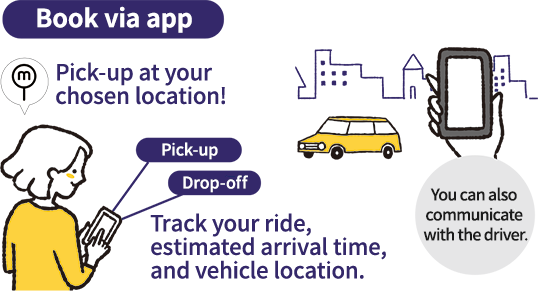
- You can get on and off at any virtual stops located in App.
Tohoku University Hospital Rotary⇔Kita Yonbancho Station
- person who can use
- Please note that only one vehicle is in operation. Therefore, immediate dispatch may not be available during the on-demand service hours from 1:30 PM to 4:30 PM.
- Reservations can be made starting 7 days prior to your ride date.
Tohoku University Hospital users
【Notice Regarding Safe Boarding and Alighting】
As this service is not a specialized medical or handicap taxi, our drivers are unable to provide physical assistance when boarding or leaving the vehicle.
For your safety, if you require assistance with getting in or out of the vehicle, please make sure to travel with a companion/caregiver who can assist you.
Thank you for your understanding and cooperation.
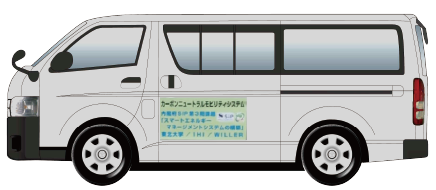
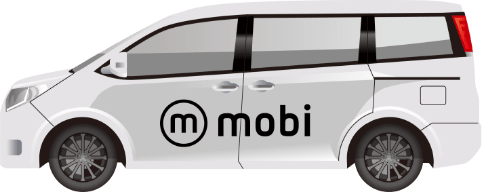
※The vehicle is an image only.
Click here for mobi app
The service area will be visible on the app starting July 20th.
Fee
Rides on the mobi service between Tohoku University Hospital Rotary and Kita-Yonbancho Station are free of charge.
- person who can use
- Tohoku University Hospital users
How to use the app
- 01Download the app
- Please download the mobi app on your smartphone and register as a member (free of charge).
- 02ride with app
-
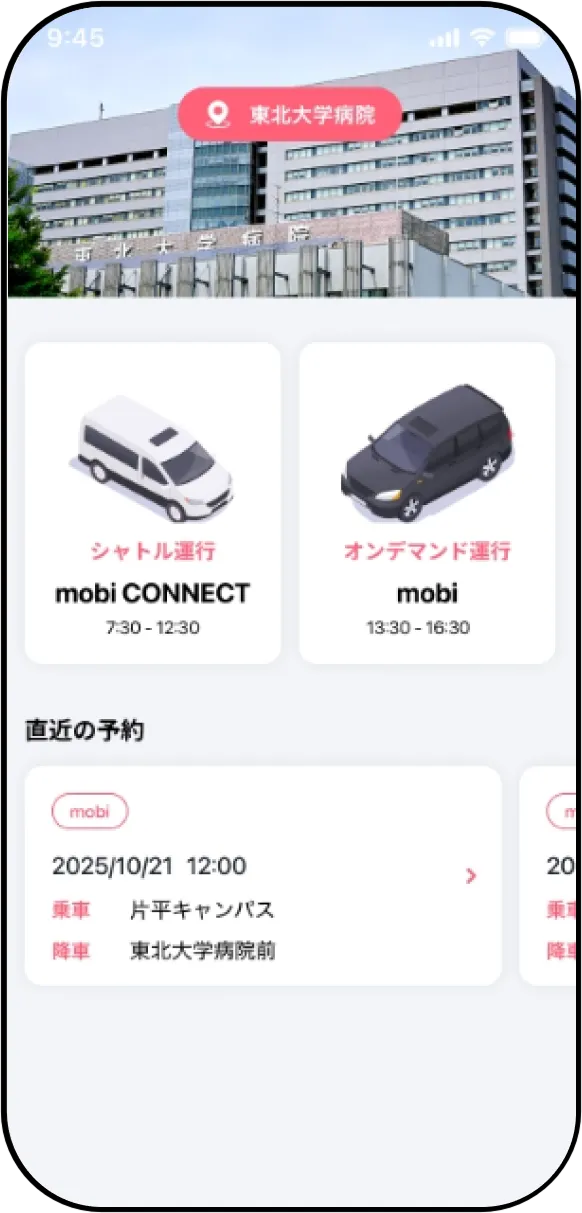
Tap the operation format for the time slot you wish to ride.
How to Book the Shuttle Service "mobi CONNECT"
(7:30 AM – 13:30 AM)-
Select Route
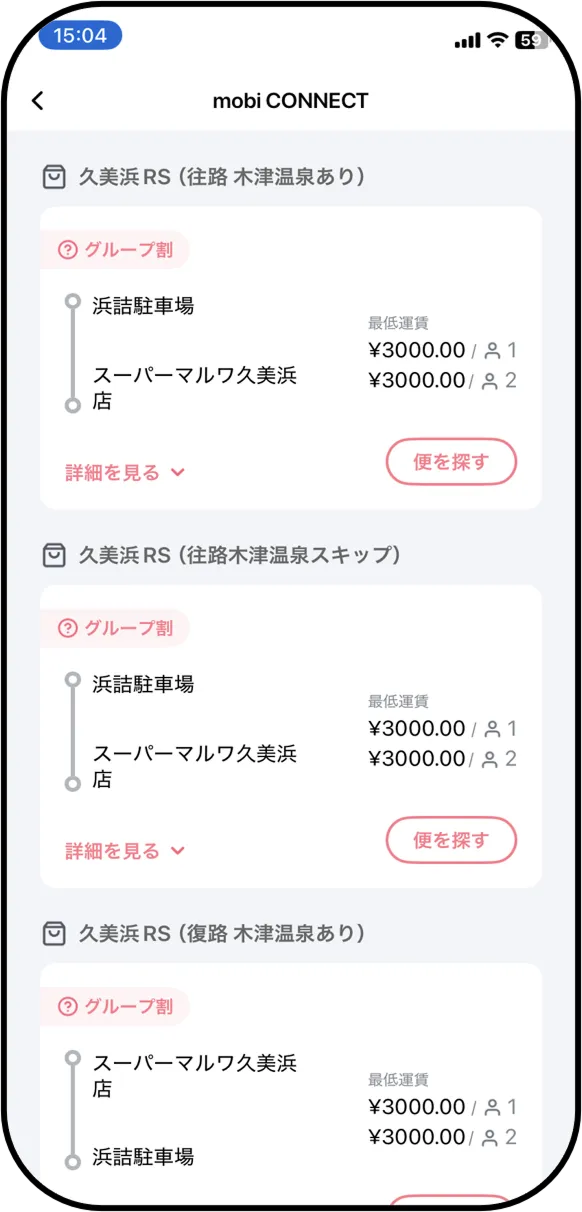
Confirm your desired route and tap the "Find Trips" button.
-
Select Date & Number of Passengers
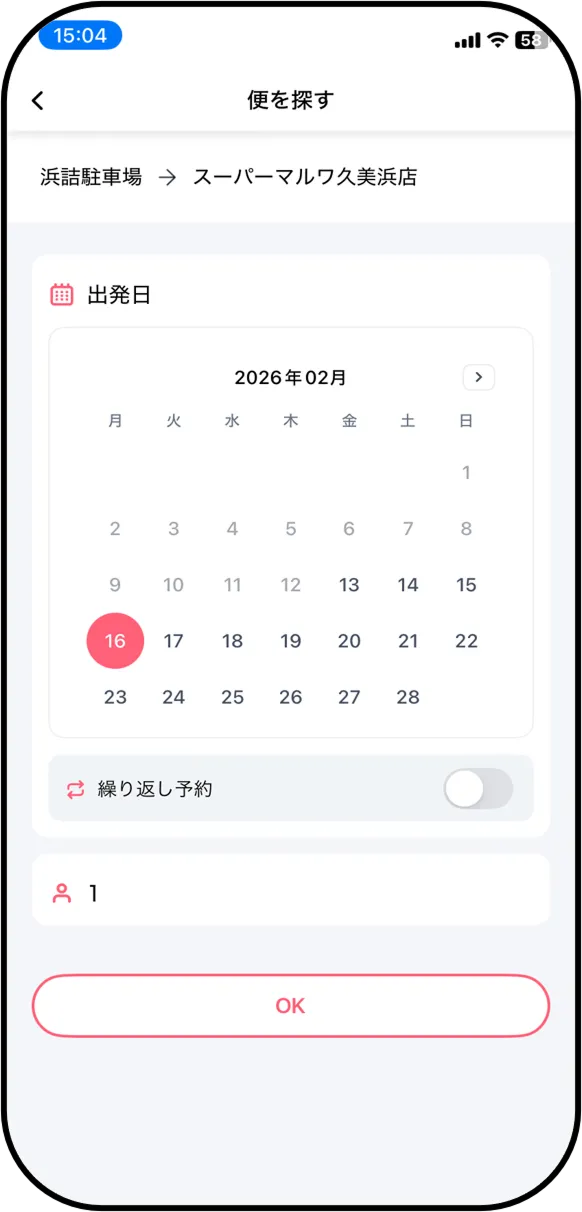
Select your desired date and tap "OK". Once you have selected the number of passengers, tap the "Search" button.
-
Select Pickup & Drop-off Locations Select your preferred pickup and drop-off bus stops.
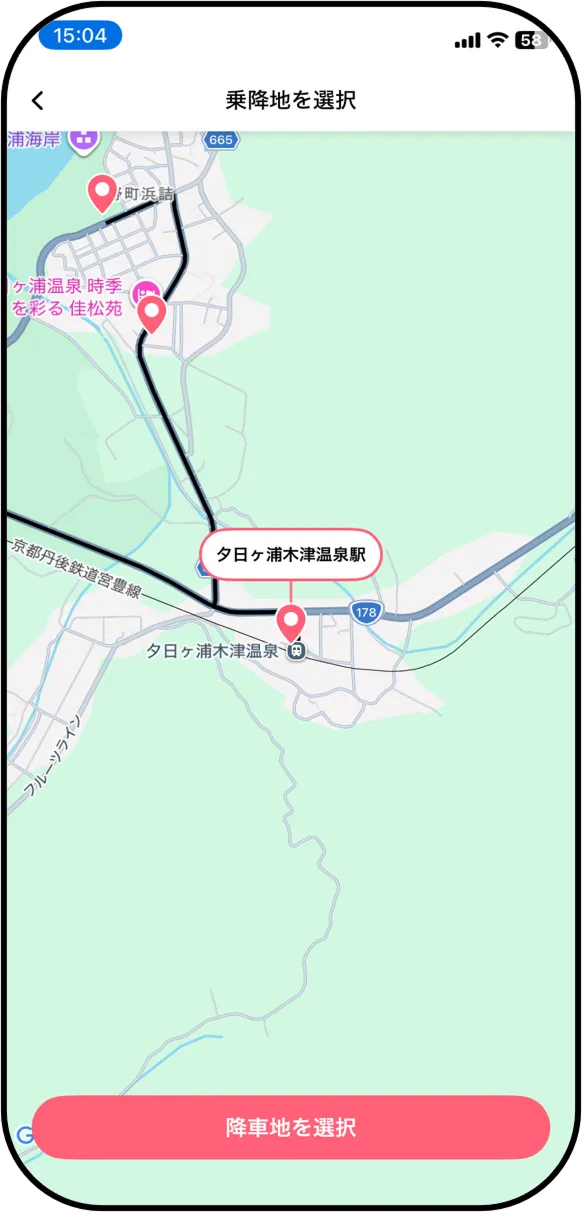
Confirm your desired route and tap the "Find Trips" button.
-
Select Time Slot
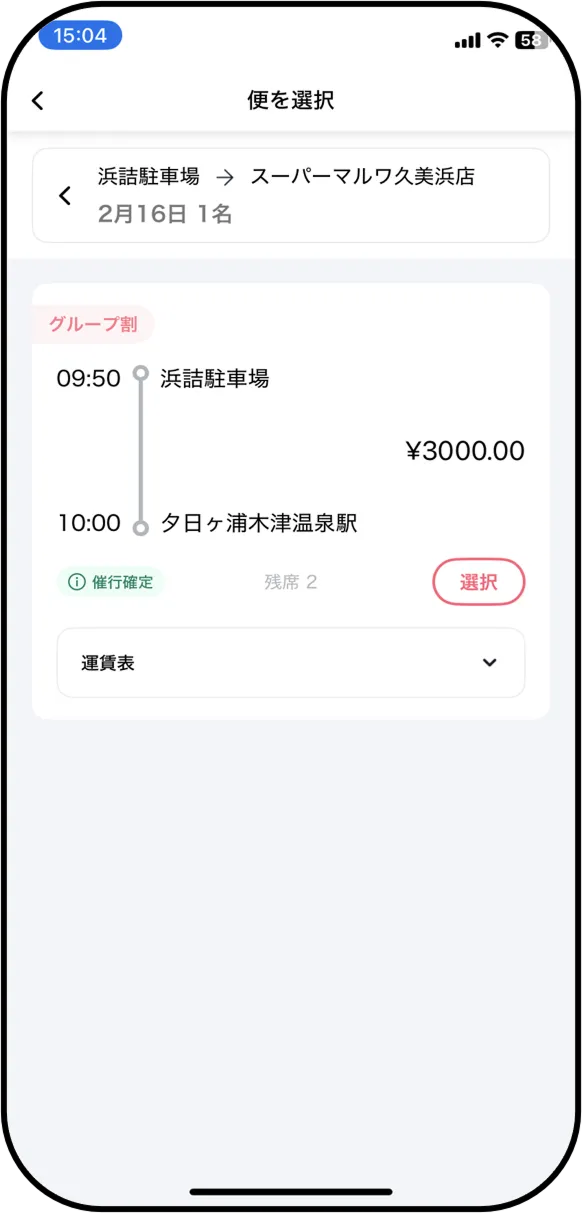
Tap the "Select" button for your desired departure time.
-
Confirm Booking Details & Book
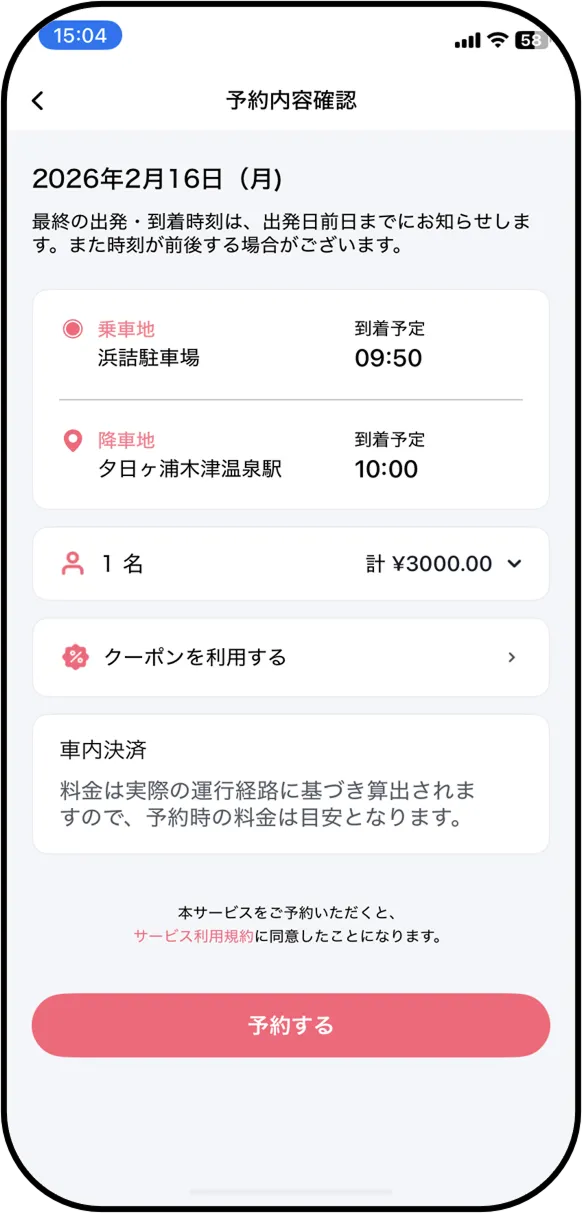
Review the details and tap "Book".
-
Booking Completed
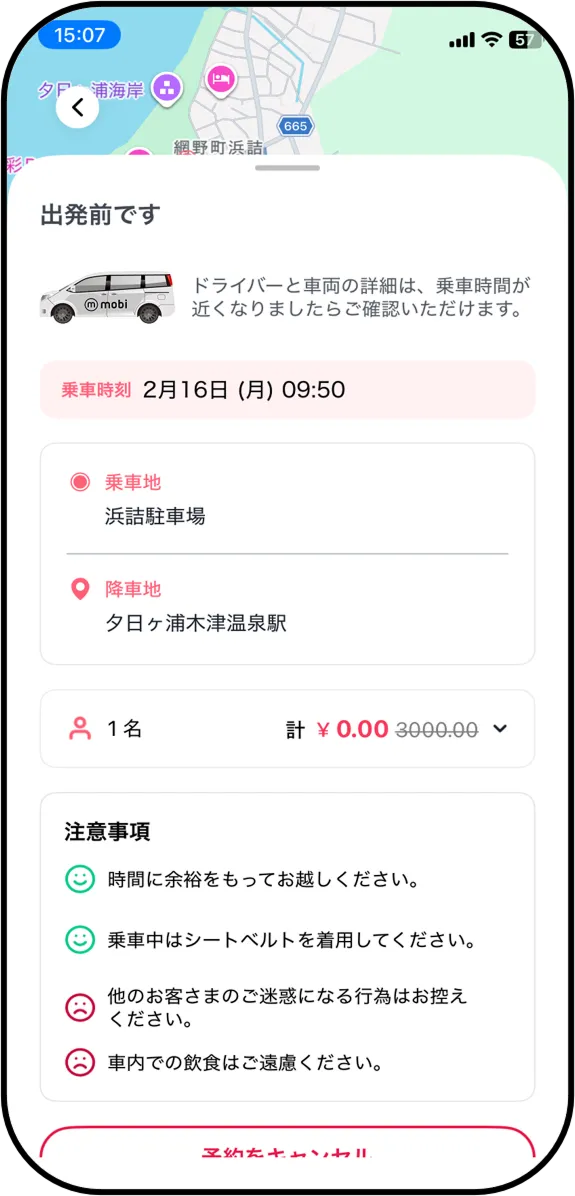
Your booking is complete once your scheduled departure time is displayed. ※Please give your name to the driver when boarding.
※Schedule is subject to change or delays depending on traffic conditions.
How to Book the On-Demand Service "mobi" (1:30 PM – 4:30 PM)
-
Ride
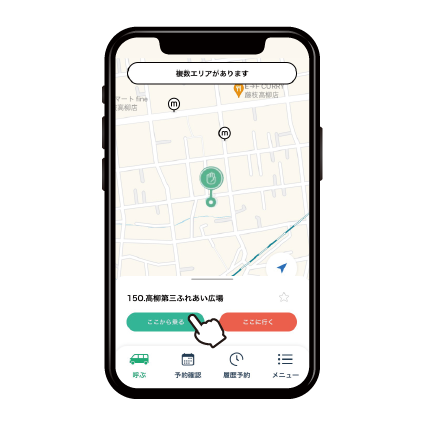
Tap your current location or suitable virtual stops, check the details, then tap "Ride from here."
-
Drop-off
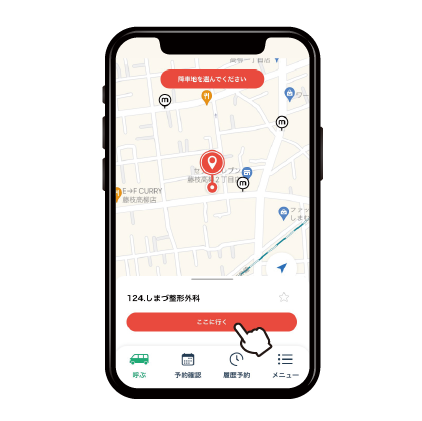
Tap the drop-off location near your destination, check the details, then tap "Go here."
-
For advance reservations
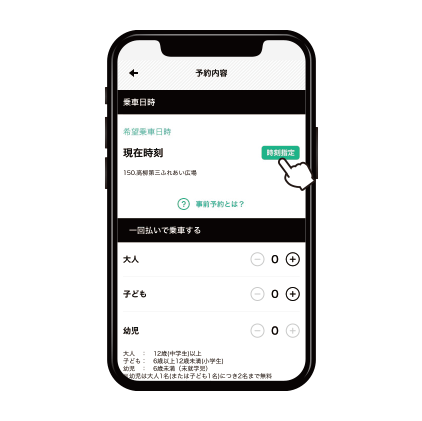
For advance reservations, tap "Specify time" and set the detailed time, then tap "Set this time".
-
For immediate reservations
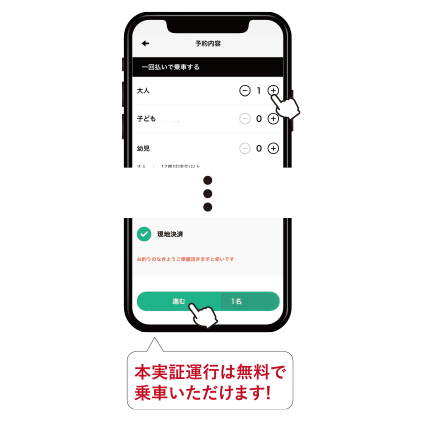
For immediate reservations, just enter the number of passengers, and tap "Proceed".
-
Confirm reservation time and price
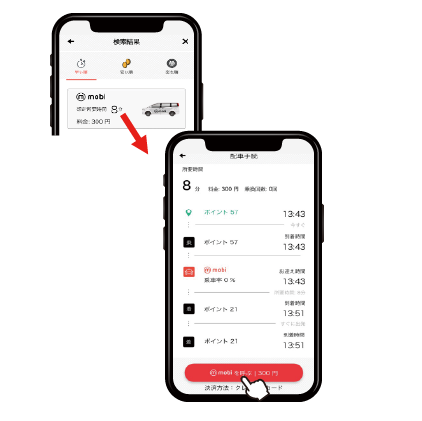
Tap the search result, check the details (estimated waiting time/estimated ride time), then tap "Call mobi".
-
Reservation completed
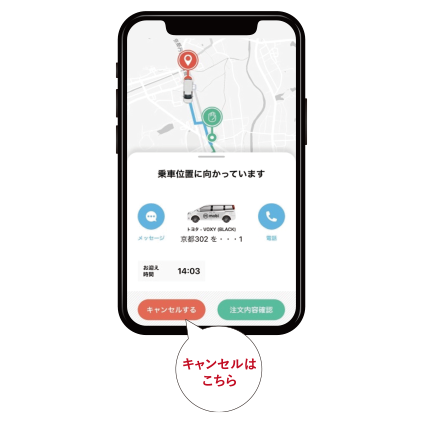
Your reservation is complete when you see the "Heading to pick-up point'' screen. Please wait until the vehicle arrives on your virtual stops.
-
Frequently asked questionsFAQ
This is a new type of shared transportation that circulates within the designated area. Using AI routing, we will send you to your destination via the optimal route.
You can only ride and drop off at the ""m mark (virtual stop)"" shown in the app map. Please ride and drop off from the virtual stop set on the app.(The regulation is restricted to ride and drop off at a location other than the designated virtual stops.Depending on traffic conditions, the location may be changed at the discretion of the crew.)
There is no charge for mobi traveling from University Hospital to Kitayobancho Station.
Read the information on the dedicated website, and register as a user.
*Please note that even if you are already a member of mobi in other areas, new registration is required for this trial operations. Please check the dedicated website for details.
This on-demand bus can only be used for travel between the University Hospital and Kitayobancho Station. It cannot be used for commuting.
Since "mobi" is a shared on-demand service, delays or detours may occur to pick up or drop off other passengers.If you're in a hurry, please use another transportation option.
You can cancel from the app. Please select and cancel your reservation from "Reservation confirmation" in the app.
In this demonstration test, one vehicle is in operation.
You can make advance reservations. Please see Step 3 to the left and make a reservation from the app.
Please use the app for mobi on Tohoku University.
Business hours 9:00 - 19:00
mail : mobilityservice@willer.co.jp
Click here for mobi app